Hireloop Job Board

A bold, high-converting job board with real sign-in for employers and job seekers — and a private dashboard for each.

About this template

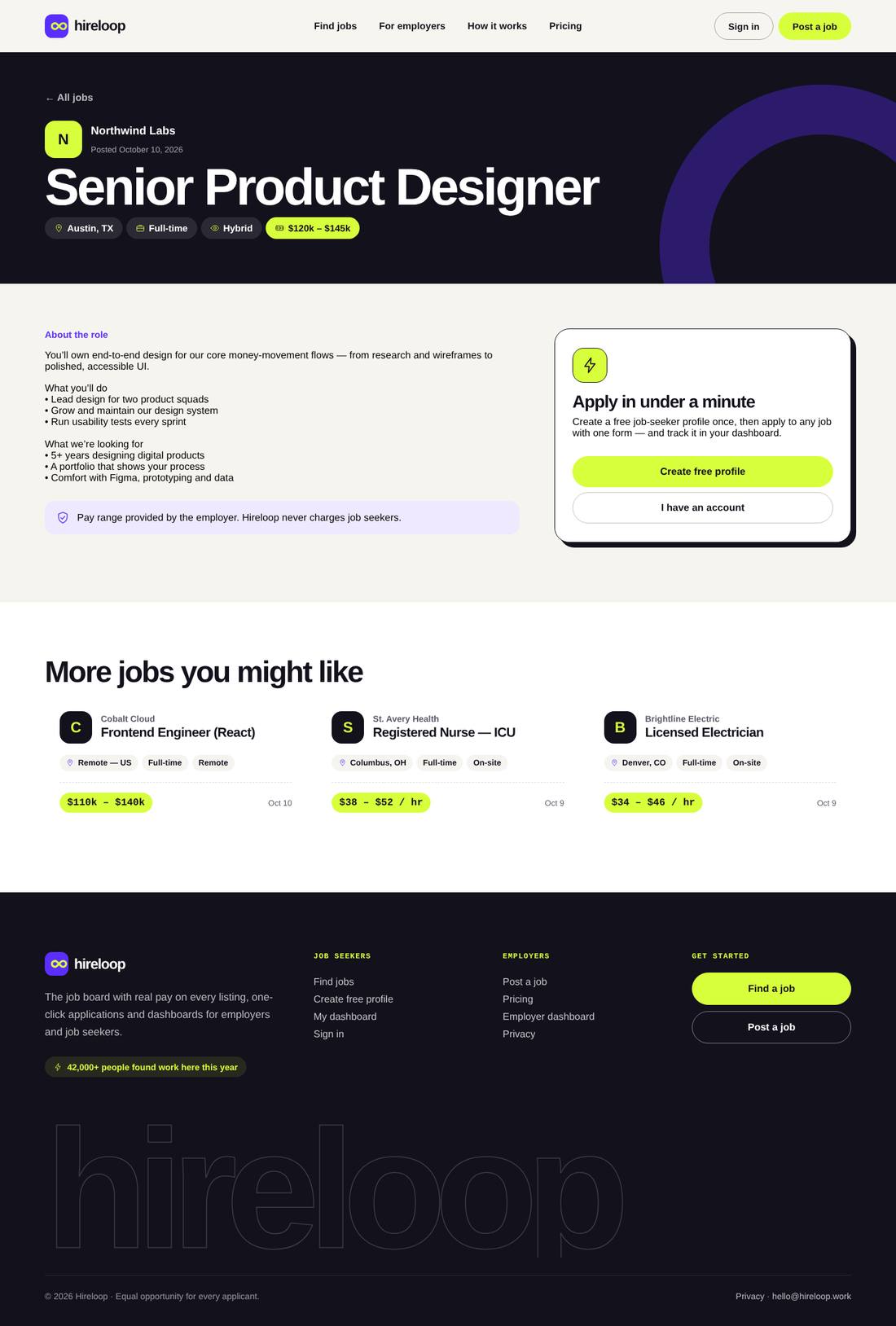
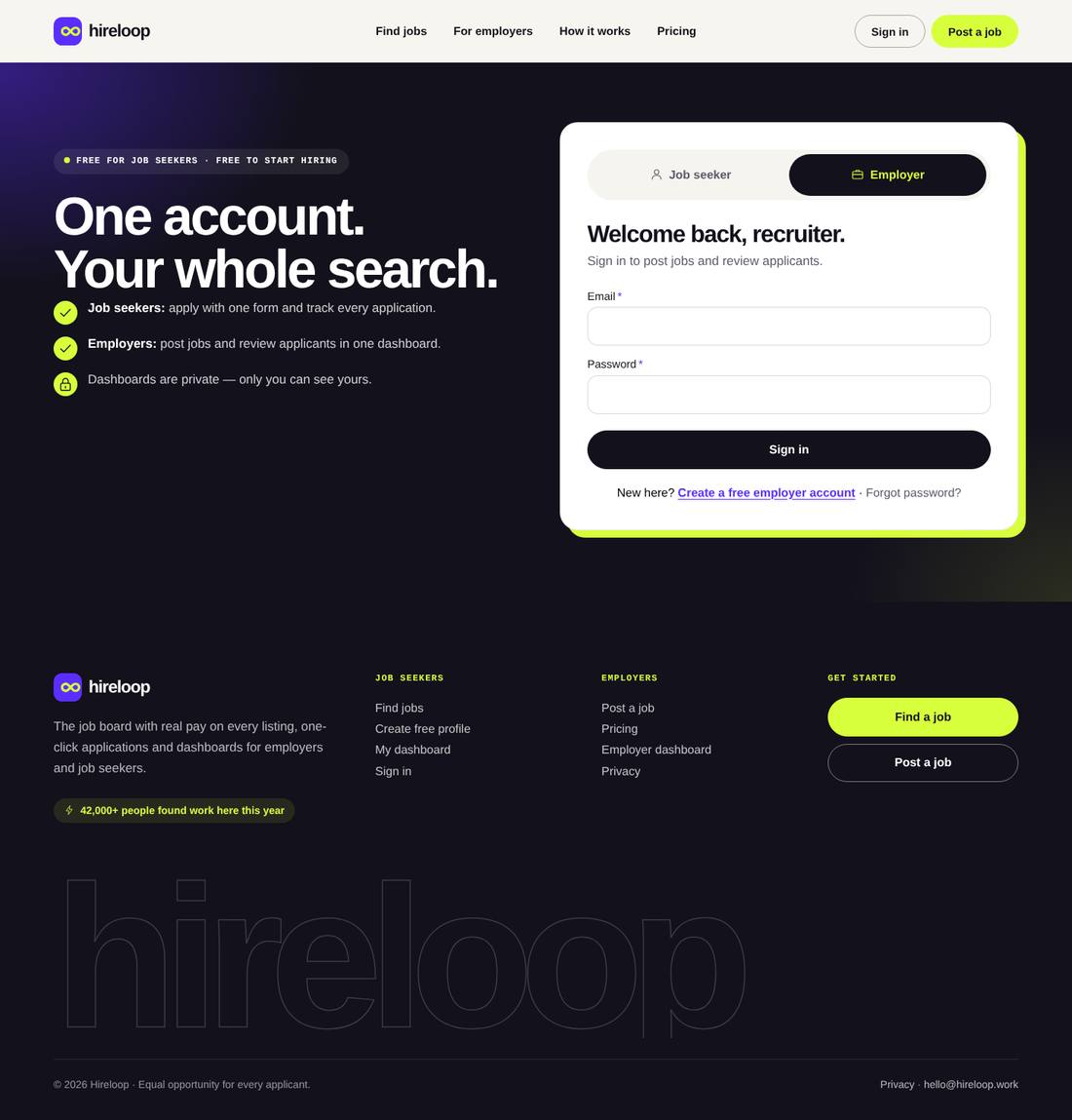
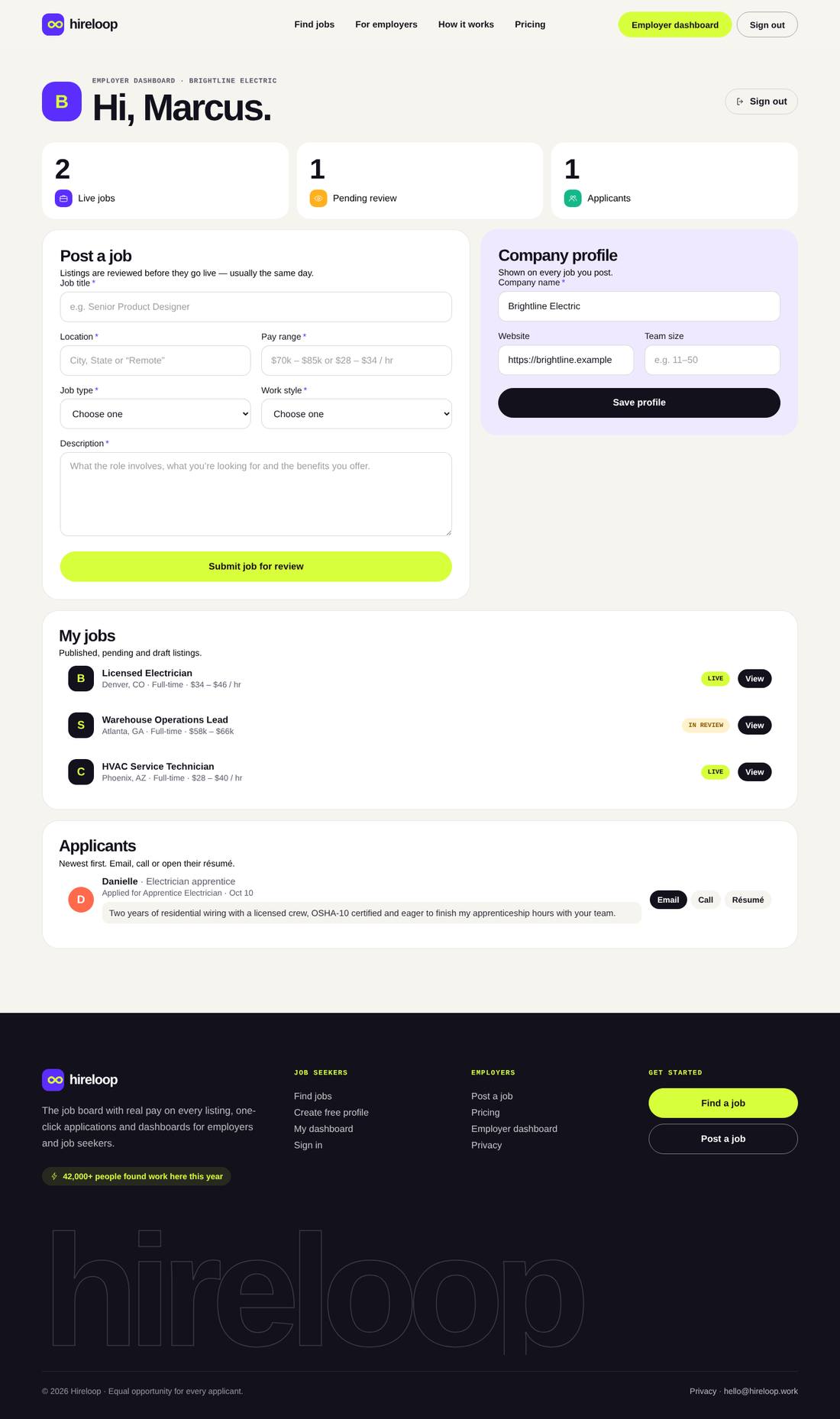
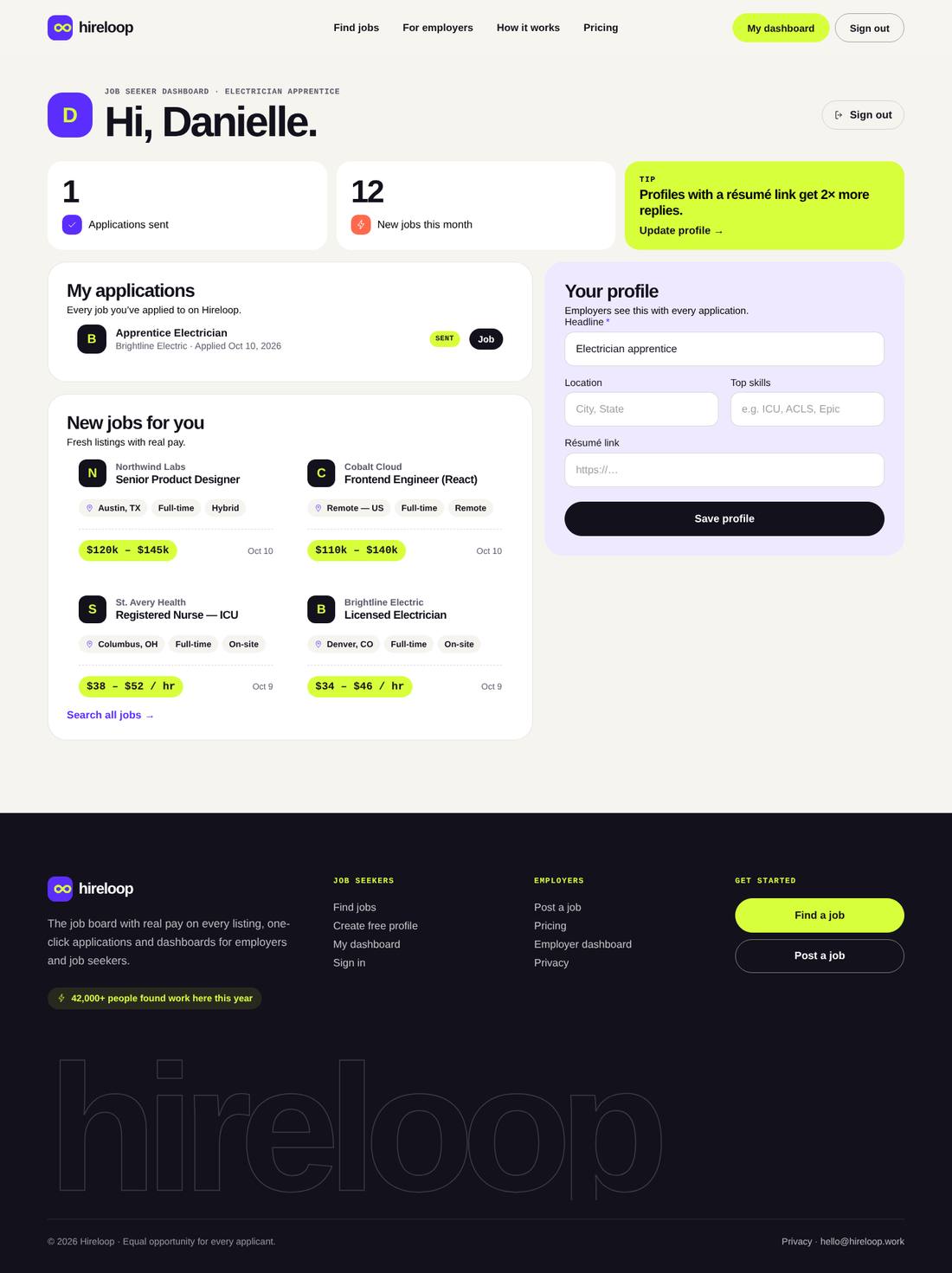
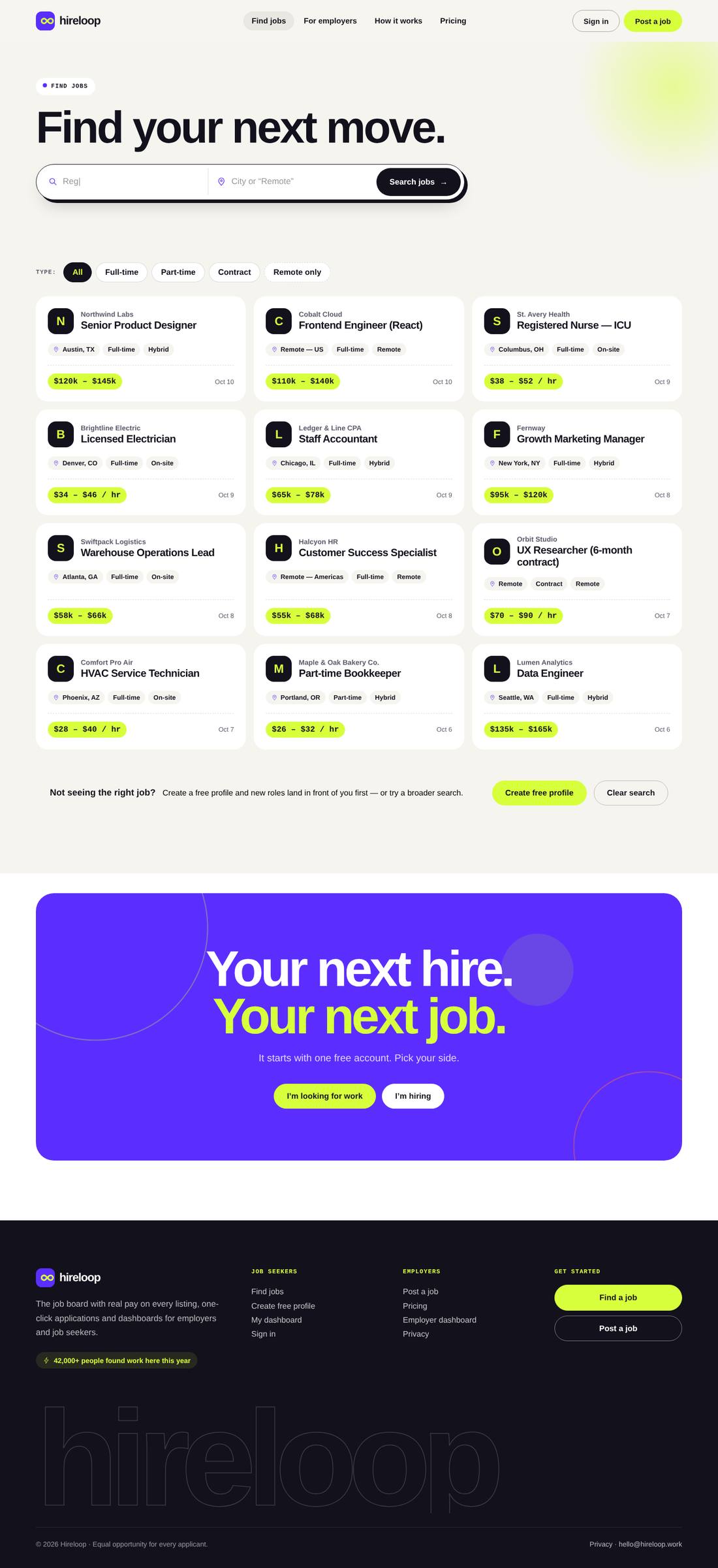
A complete job board built entirely in Cornerstone. Job seekers search live listings by keyword, location and job type, create a free profile and apply with one form; employers create an account, post jobs (held for your review) and see every applicant in their dashboard with one-click email, call and résumé links. Accounts, sign-in, job posts and applications all run on Cornerstone Forms — no extra job-board plugin. Dashboards only render for a signed-in user of the right type; everyone else sees a sign-in prompt. The design is bold and modern: huge Archivo headlines with a rotating word, signal-lime and ultraviolet accents, a “match machine” hero that animates a candidate and a job snapping together into a 94% match, a typing search bar, a hiring-company marquee, field tiles, live “just posted” jobs, a seekers/employers how-it-works switcher, dashboard previews, pricing and FAQs. Includes Find Jobs, For Employers, Sign In (seeker and employer, sign in or create account), Employer Dashboard, Job Seeker Dashboard, a job page layout with gated apply and 12 sample jobs.

Highlights

  • Employer and job-seeker accounts: sign in or create an account (Cornerstone Forms)
  • Private dashboards that only render for a signed-in user of the right type
  • Employers post jobs (held for review) and see applicants with email, call and résumé links
  • Job seekers apply with one form, track applications and edit their profile
  • Live job search by keyword, location and job type; job page layout with gated apply
  • Animated “match machine” hero, typing search, rotating headline word and marquee
  • Journal with category filters, three sample articles and custom blog archive and article layouts

Pages included

  • Home
  • Find Jobs
  • For Employers
  • Sign In
  • Employer Dashboard
  • Job Seeker Dashboard
  • Career Notes
  • Blog article
  • Privacy Policy
  • Job page layout

What you need

  • Required
    Pro theme or CornerstoneThe template is a Cornerstone export (.tco) — built with native Cornerstone elements, fully responsive.
  • Required
    Cornerstone FormsRuns sign-in, account creation, job posting and applications

How installation works

  1. Make sure the Pro theme or the Cornerstone plugin is active, and install and activate Cornerstone Forms first.
  2. In WordPress, open Cornerstone › Templates, click Import and upload the .tco file. Pages, headers, footers, layouts, images, colours and fonts are added to your site.
  3. Go to Settings › Reading, choose A static page and set Homepage to “Home”.
  4. Forms send to your site’s admin email (Settings › General). To use another address, edit the form’s Email action in Cornerstone.
  5. Jobs are regular WordPress posts with a few custom fields. Jobs employers post from their dashboard arrive as Pending — review and Publish them under Posts. To let jobs go live instantly, edit the Post a job form in Cornerstone and set the Post Create action’s status to publish.
  6. To add a job yourself: create a post and add the custom fields hl_kind = job, plus hl_company, hl_location, hl_type (e.g. Full-time), hl_salary and hl_remote (On-site, Hybrid or Remote). The one-click importer adds 12 sample jobs for you.
  7. Applications are emailed to the employer and saved under Cornerstone › Forms › Submissions; each employer sees only their own applicants in their dashboard.
  8. Accounts are created as WordPress Subscribers. For spam protection, add the Cloudflare Turnstile or hCaptcha element from Cornerstone Forms to the two Create account forms on the Sign In page.
  9. Replace the sample text, photos and contact details with your own in Cornerstone — and you’re live.

More templates

See all →
Apex Motors
Automotive

Apex Motors

A liquid-glass sports car site told as a story: cars drive in, cross the screen as you scroll and a speedometer sweeps into view.
$59 Details
Smash & Ember Burgers
Food & Drink

Smash & Ember Burgers

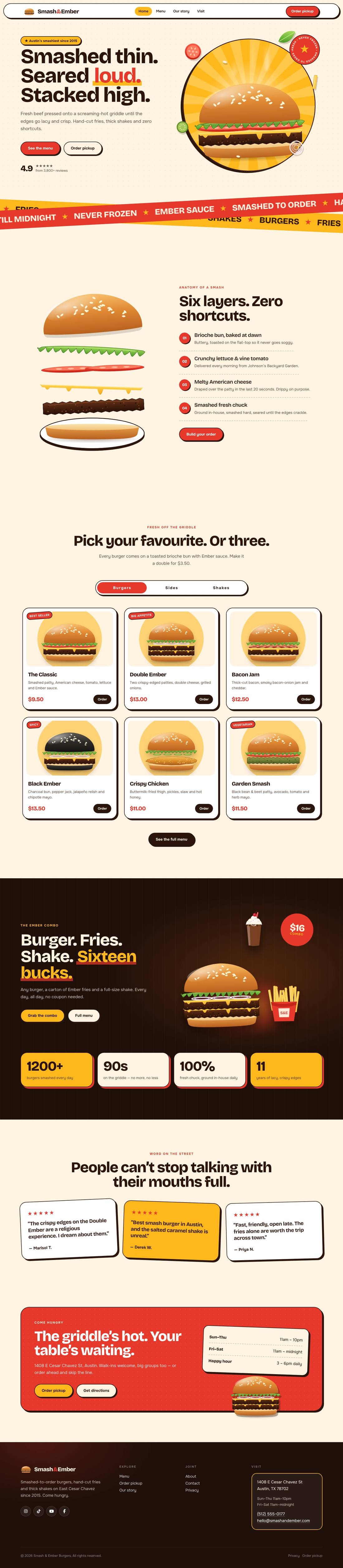
A mouth-watering animated burger joint: the burger builds itself layer by layer, pulls apart as you scroll and fries fly around the page.

$59 Details