
Haulmark Moving & Trucking

A cinematic moving and trucking website with an online quote, distance pricing and deposit booking.

About this template

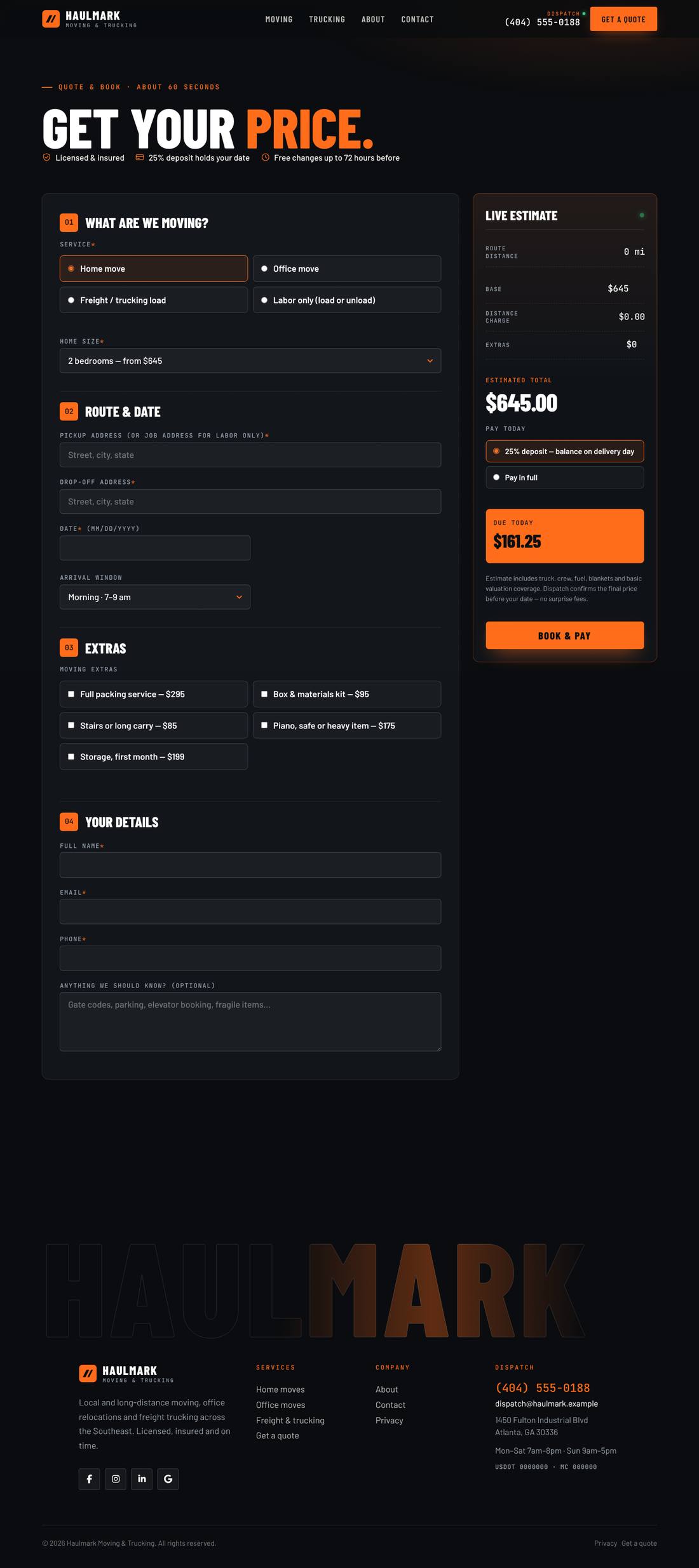
A cinematic, night-highway website for a moving and trucking company. The home page opens like a film: letterbox bars pull back, a semi truck rolls in under the street lights and parks with its headlights on, and the headline rises line by line over a live “lane” readout. Customers price their own job with a Calculated Fields Form calculator — home moves, office moves, freight loads (LTL, full truckload, flatbed) or labor only — that measures the driving distance between the two addresses, adds extras and fuel, shows a live estimate and takes a 25% deposit or full payment. Includes Moving and Trucking rate pages, an animated route preview, a scroll-drawn how-it-works road, a dispatch section, reviews, FAQs, About, Contact and a booking-received page.

Highlights

  • Quote & booking calculator built with Calculated Fields Form: home, office, freight and labor-only jobs
  • Driving distance between pickup and drop-off (Google Maps), with a typed-miles fallback until a key is added
  • Live estimate with base, distance, fuel and extras — then a 25% deposit or pay in full (Stripe or PayPal in CFF)
  • Cinematic hero: letterbox open, truck roll-in with headlights, masked headline, lane readout, film grain
  • Rates live in one place and feed the Moving page, Trucking page and calculator
  • Booking confirmation emails to you and the customer, plus a booking-received page
  • Respects reduced-motion settings

Pages included

  • Home
  • Moving
  • Trucking
  • Get a Quote
  • About
  • Contact
  • Booking Received
  • Logbook
  • Blog article
  • Privacy Policy

What you need

  • Required
    Pro theme or CornerstoneThe template is a Cornerstone export (.tco) — built with native Cornerstone elements, fully responsive.
  • Required
    Calculated Fields FormRuns the quote & booking calculator: distance, pricing and payment. Online payment and Google Maps distance need the Pro/Developer/Platinum edition
  • Required
    Cornerstone FormsAdds the contact form

How installation works

  1. Make sure the Pro theme or the Cornerstone plugin is active, and install and activate Calculated Fields Form, Cornerstone Forms first.
  2. In WordPress, open Cornerstone › Templates, click Import and upload the .tco file. Pages, headers, footers, layouts, images, colours and fonts are added to your site.
  3. Go to Settings › Reading, choose A static page and set Homepage to “Home”.
  4. Forms send to your site’s admin email (Settings › General). To use another address, edit the form’s Email action in Cornerstone.
  5. Replace the sample text, photos and contact details with your own in Cornerstone — and you’re live.

More templates

See all →
Apex Motors
Automotive

Apex Motors

A liquid-glass sports car site told as a story: cars drive in, cross the screen as you scroll and a speedometer sweeps into view.
$59 Details
Smash & Ember Burgers
Food & Drink

Smash & Ember Burgers

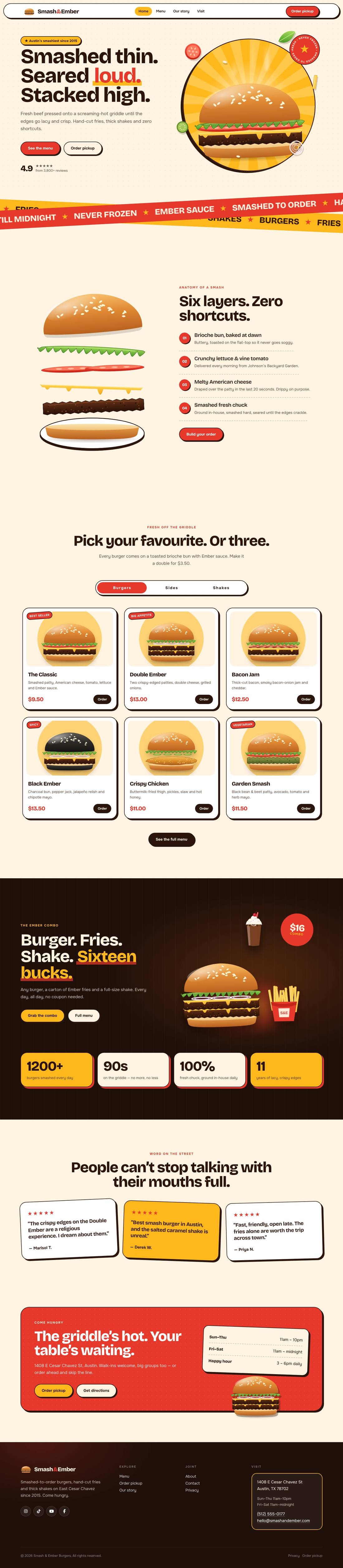
A mouth-watering animated burger joint: the burger builds itself layer by layer, pulls apart as you scroll and fries fly around the page.

$59 Details